
CourseFlare Guide
What To Consider Before Switching WordPress LMS Plugins
Switching WordPress LMS plugins is not just a feature decision.
 AI gradingWordPress
For the broader CourseFlare path, keep Learndash Alternative Ai Grading and WordPress Course Builder Plugin nearby as supporting context, then use CourseFlare Pricing when that topic becomes relevant.
Quick Take
What to keep in mind
Use the article below as a planning guide, then choose the CourseFlare path that matches your course model.
Course structure
Keep lessons, checks, and progress connected.
AI support
Use AI for lesson drafts and subjective grading.
Free start
Start with free course building.
It is a course-operations decision.
The plugin you use may touch lessons, quizzes, student progress, certificates, payment products, subscriptions, access rules, email workflows, reports, SEO pages, and support routines. Moving away from that system can be worth it, but it should not be treated like swapping a small utility plugin.
The better question is not “Which LMS has the longest feature list?”
The better question is:
What workflow is your current LMS blocking, and is the new workflow valuable enough to justify the move?
CourseFlare is worth evaluating if your current setup makes it hard to build structured lessons, place questions naturally in the course, use AI-assisted grading, review written responses, connect progress to completion, sell paid access directly, or give students a focused learner experience.
If you are comparing CourseFlare vs traditional WordPress LMS plugins, start by auditing the site you already have. Switching can create risk, but staying with the wrong workflow can also cost time every week.
Start With Why You Want To Switch
Before planning a migration, write down the reason.
Do not switch just because a new plugin looks cleaner or newer. Switch because the current system is blocking something that matters.
The reason should be specific.
For example:
- Instructors avoid written assignments because grading takes too long.
- Students get confused after payment.
- Quizzes feel disconnected from lessons.
- Certificates do not reflect completion clearly.
- The checkout process requires too many plugins.
- Progress tracking does not match how the course is taught.
- The plugin stack is hard to maintain.
- Course creation takes too many separate steps.
If you cannot name the problem clearly, switching may not solve it.
Missing Feature
Sometimes the current LMS simply does not support an important workflow the course now needs.
That might be:
- AI grading for subjective responses.
- Better written-response review.
- Direct paid-course checkout.
- Cleaner progress tracking.
- Certificates tied to completion.
- More natural lesson/question authoring.
- One-attempt assessment workflows.
In that case, switching may be reasonable.
The feature still needs to be valuable enough to justify the migration work.
Complex Plugin Stack
Many WordPress course sites grow by adding one plugin at a time.
The result may be:
- One plugin for lessons.
- Another for quizzes.
- Another for payments.
- Another for memberships.
- Another for certificates.
- Another for forms.
- Another for student dashboards.
That can work, but it can also become fragile.
Every plugin connection creates a place where the student experience can break. Every update creates a little more maintenance risk. Every support issue becomes harder to trace.
CourseFlare is worth comparing when the course creator wants a more focused workflow around lessons, assessments, AI grading, progress, certificates, and paid access.
Poor Student Experience
Students judge the course by what they experience.
They need to know:
- Where to start.
- What lesson comes next.
- Which work is required.
- Whether progress has been saved.
- Whether an answer is pending review.
- Where to find certificates.
- How to continue after payment or enrollment.
If students keep asking where to go next, the LMS may be creating friction.
Switching is worth considering when student confusion becomes a recurring operational cost.
Payment Friction
Paid course access should be clear.
The student should be able to pay, get access, and begin learning without a confusing handoff.
Some course sites need WooCommerce or a broader ecommerce setup. Others only need direct course checkout and paid access.
If your current payment setup is heavier than the business needs, compare the workflow carefully.
CourseFlare Pro is the paid-course and billing upgrade for CourseFlare sites. It supports paid-course creation and billing features, including one-time purchase and subscription-style course access where supported.
CourseFlare Free is for free courses and has no billing features. The Free vs Pro boundary is paid-course creation and billing, not the core course-building or AI workflow.
Assessment Limitations
Assessment limitations are one of the strongest reasons to compare LMS plugins.
If a course needs more than simple multiple-choice checks, the LMS should support that.
Useful assessment workflows may include:
- Written responses.
- Essays.
- Fill-in-the-blank answers.
- Scenario questions.
- Assignments.
- One-attempt submissions.
- Instructor review.
- AI-assisted grading.
CourseFlare supports AI grading for subjective questions such as essays, fill-in-the-blank responses, written explanations, and other open responses. This can make stronger assessments more practical without forcing instructors to manually start from zero on every submission.
Need For AI Grading
AI grading is not just a feature checkbox.
It changes what kind of course you can reasonably build.
If instructors avoid written work because grading is too slow, students may get a weaker course. If the LMS makes written-response review hard to manage, the course may drift toward easy-to-grade questions even when deeper assessment would be better.
CourseFlare is worth comparing when AI-assisted grading is central to the course plan.
Audit Your Existing Course Structure
Before switching, audit what already exists.
Do not rely on memory.
Make a written inventory of the course site.
This audit should include course content, LMS structures, student data, certificates, payment products, and any custom workflows.
If you are building a new site, this audit may be short. If you already have active students, it matters much more.
For the CourseFlare foundation, see the WordPress course builder plugin page.
Course Pages
List the main course pages.
Include:
- Course landing pages.
- Sales pages.
- Lesson pages.
- Topic pages.
- Quiz pages.
- Student dashboard pages.
- Certificate pages.
- Support pages.
Some of these may not be controlled only by the LMS.
They may include theme templates, block layouts, page builder content, custom shortcodes, SEO metadata, forms, or tracking scripts.
Before switching, know which pages are ordinary WordPress content and which are deeply tied to the current LMS.
Lessons
List the lessons and how they are structured.
Questions to answer:
- Are lessons stored as WordPress posts, custom post types, or plugin-specific items?
- Are lessons grouped into modules?
- Are lessons ordered by prerequisites?
- Are lessons reused across courses?
- Are lesson completion rules tied to the current LMS?
- Are there embedded videos, downloads, or shortcodes?
Lesson structure is one of the most important migration areas because it shapes the student experience.
Quizzes And Assessments
Quizzes are often harder to migrate than ordinary lessons.
They may include question banks, answer options, scoring rules, attempts, timers, prerequisites, essay responses, completion rules, and certificates.
Audit:
- Question types.
- Quiz settings.
- Required attempts.
- Passing scores.
- Written responses.
- Essay questions.
- Assignment-style work.
- Instructor review rules.
- Progress or completion dependencies.
If quizzes are simple, migration is easier. If assessments are complex, plan carefully.
Student Progress
Student progress may not transfer cleanly between LMS plugins.
That does not always mean switching is impossible, but it does mean the business needs a plan.
Ask:
- Do current students need to keep progress?
- Can some students restart?
- Are completed courses still visible?
- Are active students mid-course?
- Does progress affect certificates?
- Does progress affect access to later material?
If many students are active, avoid changing the LMS on the live site without careful staging and communication.
Certificates
Certificates can be important records.
Audit:
- Which courses issue certificates?
- What completion rules trigger certificates?
- What certificate fields are included?
- Can students still access certificates after switching?
- Does the business need historical certificates?
- Are certificates tied to payment or access?
If certificates are important, preserve the record or define a transition plan.
Payment Products
Paid courses add another layer.
Audit:
- Products.
- Prices.
- Payment gateways.
- Subscriptions.
- Coupons.
- Memberships.
- Bundles.
- Manual enrollments.
- Access after payment.
- Refund or cancellation handling.
This is not only a payment question. It is a course access question.
If payment and enrollment are tied to the current LMS, switching requires extra care.
Comparison
Decision Snapshot
A compact way to frame the tradeoff before the details.
| Need | Basic setup | CourseFlare path |
|---|---|---|
| Course structure | Manual pages | Connected lessons |
| Assessments | Separate quiz tools | Built-in checks |
| Paid access | Extra commerce stack | Pro billing features |
Keep The Workflow Focused
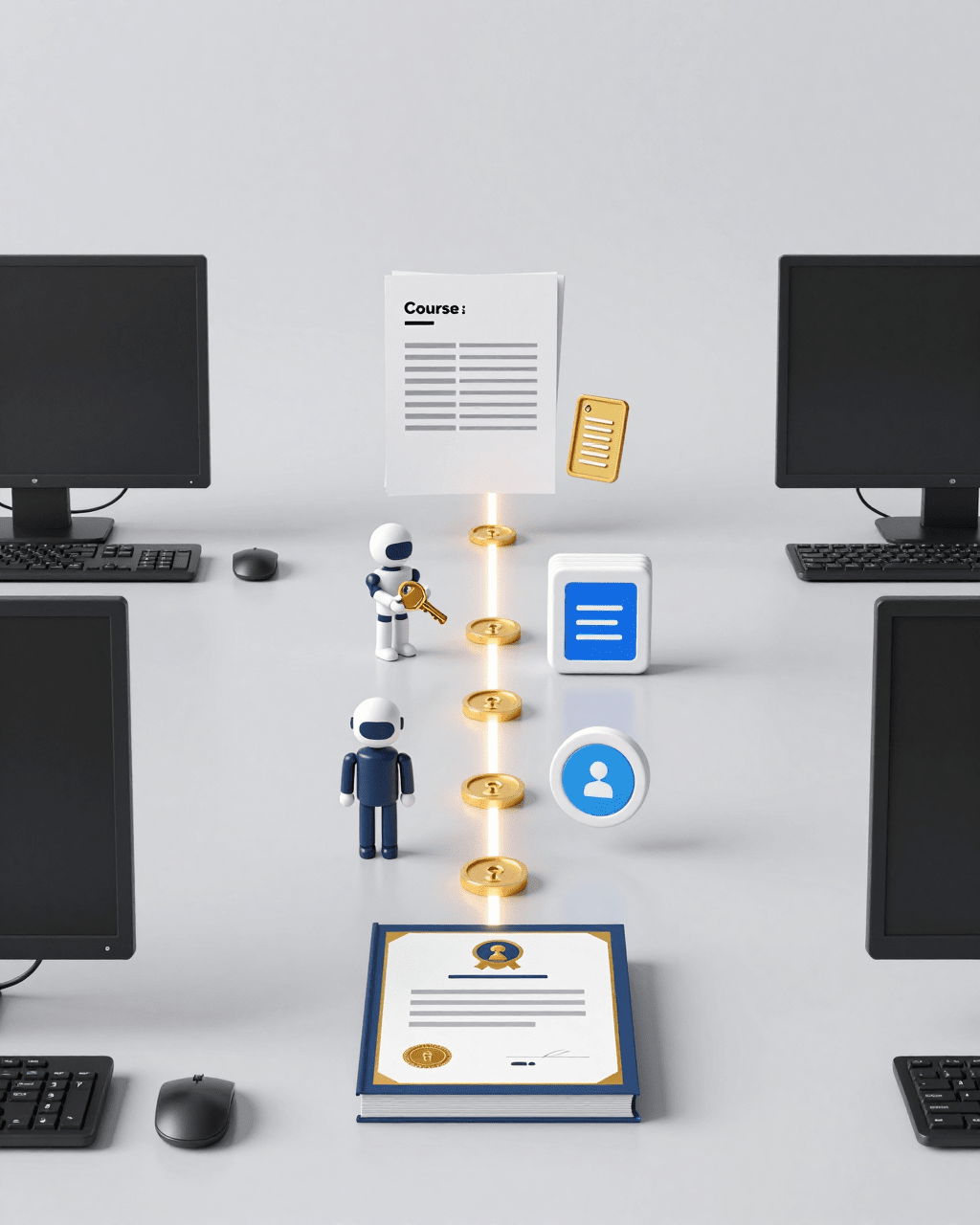
Use the visual summary as a checkpoint; the article text gives the full reasoning.
Check Student And Completion Data
Student records are often the hardest part of switching.
Course content can usually be recreated with enough time. Student history may be more sensitive.
Before switching, decide what data must be preserved, what can be archived, and what can be left behind because it no longer matters.
Existing Students
List the student groups.
Examples:
- Active students.
- Completed students.
- Free-course students.
- Paid-course students.
- Subscription-style access students.
- Manually enrolled students.
- Employee training participants.
- Customers or members.
Different groups may need different handling.
An active paid student usually needs more careful communication than someone who completed a free course two years ago.
Attempts
Assessment attempts may matter.
If a student submitted an essay, passed a quiz, failed an attempt, or used a one-attempt assessment, that history may affect progress, certificates, or instructor review.
Decide whether attempts need to be preserved, exported, archived, or manually handled.
Progress
Progress is sensitive because it affects the learner experience.
Students may become frustrated if a migration wipes progress without explanation.
If progress cannot be moved directly, decide how to handle it:
- Freeze old courses and start new ones.
- Move only future students.
- Create a transition date.
- Manually mark some students complete.
- Let active cohorts finish before switching.
The right answer depends on the course business.
Certificates
Certificates may be the proof students keep.
If students need old certificates, plan access before switching.
You may need to export certificate records, preserve the old system for a period, create replacement records, or communicate the change clearly.
Do not assume certificates are disposable.
Access History
Access history matters for paid courses and training programs.
If a student paid for access, the business should understand what they purchased and what access they should retain.
Audit access before switching:
- Who bought which course?
- Who has subscription-style access?
- Who was manually enrolled?
- Who has free access?
- Who has expired or canceled access?
- Who has completed the course?
This prevents support problems after migration.
CourseFlare Focus
Assessment Workflow
Keep checks for understanding close to the lesson.
Questions
Add checks while building lessons.
Written work
Use subjective responses when useful.
AI grading
Reduce repetitive review work.
Compare Assessment Workflows
Assessment workflow is one of the best reasons to switch LMS plugins, but it is also one of the easiest areas to underestimate.
If your current LMS handles assessments well, be careful before changing.
If your current LMS makes assessments painful, switching may be worth it.
Question Types
List the question types you actually use.
Do not compare a giant list of possible question types if your courses only use a few.
Focus on the real work:
- Multiple choice.
- True/false.
- Fill-in-the-blank.
- Short answer.
- Essay.
- Scenario response.
- Assignment.
- Final assessment.
CourseFlare is especially useful when written and subjective responses are part of the course.
Written Responses
Written responses often reveal whether students understand the material.
They also create grading work.
If your current LMS makes written work hard to review, CourseFlare may be worth testing.
CourseFlare supports AI grading for essays, fill-in-the-blank answers, short written explanations, and other open responses.
The goal is to help instructors use better questions without drowning in manual review.
AI Grading
AI grading should be evaluated as a workflow.
Ask:
- Which responses should AI help grade?
- Does instructor review remain available?
- Does the result affect progress?
- Does the result affect completion?
- Does the result affect a certificate?
- Can the instructor understand what happened?
AI grading should support teaching and review. It should not become a black box.
Instructor Review
Some work still needs human judgment.
If the course includes essays, assignments, scenario answers, professional training, compliance-style work, or high-value paid courses, instructor review may matter.
A good LMS should make reviewable work visible.
The instructor should not have to chase submissions across email, forms, and disconnected tools.
One-Attempt Assessments
One-attempt assessments can be useful when the first submission matters.
They are not right for every course, but they can support serious assessments, required training, final reviews, and scenario responses.
If your current LMS does not fit the attempt model you need, switching may be worth considering.
Compare Course Authoring Workflows
Migration is not only about old content.
It is also about future content.
If the new LMS makes course authoring easier, the value may show up every time you build or revise a lesson.
CourseFlare lets creators keep building natively in WordPress. Instructors can work in the block editor or classic editor, add CourseFlare blocks for questions, quizzes, tests, and assessments, and let CourseFlare automatically create the course and assessment structure on the back end.
That can be a meaningful improvement for course creators who find traditional quiz builders too detached from lesson writing.
AI Lesson Authoring
AI lesson authoring is another workflow difference.
Many course creators already have source material:
- Notes.
- Outlines.
- Workshop slides.
- Product docs.
- Policy documents.
- Transcripts.
- Support articles.
- Training checklists.
CourseFlare can help turn a prompt or provided source material into a stronger starting point for course content.
The instructor still reviews and edits the lesson. AI helps reduce the blank-page problem and speeds up the draft process.
Plan The Migration Carefully
If switching still makes sense after the audit, plan the move carefully.
Do not make the live site the first test.
Inventory Content
Create an inventory of:
- Courses.
- Lessons.
- Quizzes.
- Questions.
- Assignments.
- Certificates.
- Students.
- Progress records.
- Payments.
- Access rules.
- Integrations.
- SEO pages.
This inventory tells you what must move and what can be rebuilt.
Decide What Must Move
Not everything has to move.
Some old courses may be retired. Some old quizzes may be rewritten. Some inactive students may not need active access. Some historical records may only need an export.
Decide:
- What must be migrated.
- What can be archived.
- What can be rebuilt.
- What can be left in the old system temporarily.
- What can be removed.
This keeps migration from becoming bigger than necessary.
Test On Staging
Use a staging site.
Test:
- Course creation.
- Lesson flow.
- Questions and assessments.
- AI grading.
- Instructor review.
- Student progress.
- Certificates.
- Paid access.
- Free access.
- Login and dashboard behavior.
- SEO pages and redirects.
Do not trust a migration plan until you have walked through it as a student.
Communicate With Students
If active students are affected, communicate clearly.
Tell them:
- What is changing.
- When it changes.
- Whether progress is affected.
- Whether old certificates remain available.
- How to access the new course area.
- Who to contact for help.
Poor communication can make a technically successful migration feel broken to students.
Preserve Important Records
Preserve what matters.
That may include:
- Payment history.
- Course access.
- Completion records.
- Certificates.
- Assessment submissions.
- Instructor feedback.
- Student progress.
The exact records depend on the course type.
Paid courses, compliance training, employee training, and certification-style programs usually need more careful record handling than casual free courses.
SEO And URL Considerations
Switching LMS plugins can affect SEO.
Course content may live at different URLs. Lesson pages may change. Shortcodes may break. Templates may change. Schema or metadata may need review. Internal links may point to old pages.
Before switching, check:
- Course landing page URLs.
- Lesson URLs.
- Redirect needs.
- Internal links.
- Menu links.
- Sitemap entries.
- Canonicals.
- Metadata.
- Index/noindex settings.
If the course pages get organic traffic, preserve the URLs where possible or create redirects.
SEO should be part of the migration plan, not an afterthought.
When Switching Is Worth It
Switching may be worth it when the current LMS creates ongoing friction around important workflows.
Examples:
- Instructors avoid written work because grading is too slow.
- Course creation takes too many disconnected steps.
- Students struggle to find progress or next lessons.
- Payment and access do not connect cleanly.
- Certificates do not reflect real completion.
- The plugin stack is too complex to maintain.
- The course business needs AI grading or direct course checkout.
- The current LMS does not fit the future course model.
Switching is usually not worth it if the current setup works, students are active, integrations are stable, and the pain point is vague.
The best reason to switch is a clear workflow improvement.
When To Stay With Your Current LMS
Staying may be the smarter choice when:
- The current LMS works well.
- Students are active and mid-course.
- Migration would put important records at risk.
- The site depends on custom integrations.
- The course does not need AI grading.
- The payment workflow already works.
- The team is comfortable with the current authoring process.
There is nothing wrong with keeping a working system.
CourseFlare should be evaluated when the workflow improvement is meaningful enough to justify the change.
CourseFlare Free And Pro In A Switching Plan
CourseFlare Free is useful for evaluating the course-building workflow before committing to paid-course migration.
You can use CourseFlare Free to test:
- Lesson authoring.
- Course structure.
- Questions.
- Quizzes.
- Tests.
- Assessments.
- AI lesson authoring.
- AI grading.
- Progress tracking.
- Certificates.
- Student delivery.
CourseFlare Pro becomes relevant when the new course setup needs paid-course creation or billing features.
CourseFlare Pro is available for an introductory rate of $59, normally $99, and includes one year of updates and support. After the first year, updates and support renew for $49/year.
Those prices describe the CourseFlare Pro plugin license, not the prices course creators charge for their own paid courses.
This Free vs Pro boundary matters during switching. Do not treat AI grading, AI lesson authoring, progress tracking, certificates, lessons, quizzes, tests, or assessments as the Pro boundary. Pro is for paid-course creation and billing features.
Switching LMS Checklist
Use this checklist before changing LMS plugins.
- Define the reason.
Write down the workflow problem the current LMS is creating.
- Audit the current site.
Inventory courses, lessons, quizzes, questions, certificates, students, payments, access rules, and SEO pages.
- Identify must-preserve records.
Decide which progress, attempts, certificates, submissions, and payment records matter.
- Compare assessment workflows.
Check written responses, AI grading, instructor review, one-attempt assessments, and completion rules.
- Compare student experience.
Test dashboards, progress, next lessons, certificates, support paths, and access after payment.
- Compare payment and access.
Decide whether the new LMS needs free courses, paid courses, direct checkout, manual enrollment, subscription-style access, or a store integration.
- Test on staging.
Build and complete a sample course before touching the live site.
- Plan communication.
Tell students what changes, when it changes, and how their progress or access is affected.
- Preserve SEO where possible.
Review URLs, redirects, metadata, sitemaps, and internal links.
- Switch only when the workflow gain is clear.
A new LMS should solve a real operational problem, not only look better on a feature list.
Checklist
Quick Checklist
A short scan before you act on the article.
Instructors avoid written assignments…
Review this before publishing the course.
Students get confused after payment.
Review this before publishing the course.
Quizzes feel disconnected from lessons.
Review this before publishing the course.
Certificates do not reflect completion…
Review this before publishing the course.
The checkout process requires too many…
Review this before publishing the course.
Frequently Asked Questions
Is It Hard To Switch WordPress LMS Plugins?
It can be, depending on the site.
Switching is easier when the course is new, student data is minimal, and payments are simple. It is harder when the site has active students, complex quizzes, certificates, payment records, custom integrations, and existing progress data.
Always audit before switching.
What Should I Check Before Switching?
Check course content, lesson structure, quizzes, question types, written responses, student data, progress records, certificates, payments, access rules, integrations, SEO URLs, and support workflows.
Also compare the new LMS workflow by building and completing a sample course on staging.
When Is Switching Worth It?
Switching is worth it when the current LMS blocks important workflows or creates too much operational friction.
Examples include grading overload, disconnected assessments, confusing student progress, payment friction, certificate problems, or plugin stack complexity.
Can I Test CourseFlare Before Moving Paid Courses?
Yes.
CourseFlare Free can be used to test the core course-building workflow for free courses. That includes lessons, questions, quizzes, tests, assessments, AI lesson authoring, AI grading, progress tracking, certificates, and student delivery.
CourseFlare Pro is needed when you want paid-course creation or billing features.
Should I Switch If My Current LMS Works?
Not necessarily.
If your current LMS works, students are active, payment is stable, and the course workflow fits your needs, switching may not be worth the migration risk.
CourseFlare is worth evaluating when you need a better workflow around structured lessons, AI-assisted grading, direct checkout, progress tracking, certificates, and student delivery.
Related Guides
Related CourseFlare Guides
Use these internal guides for the next step in the course-building plan.
Compare The Workflow Before Switching Your LMS
CourseFlare is worth evaluating if you need structured lessons, AI-assisted grading, direct checkout, progress tracking, certificates, and a focused student experience.
If you are still evaluating the course-building workflow, Download CourseFlare Free and test a sample course. If the new LMS setup needs paid-course access, Sell Courses With CourseFlare Pro when billing features are needed.
CourseFlare Next Step
Start Building With CourseFlare
Start with CourseFlare Free to build structured lessons, assessments, progress, AI authoring, and AI grading in WordPress.