
CourseFlare Guide
Certificate Workflows For Employee Training Websites
Employee training certificates need structure.
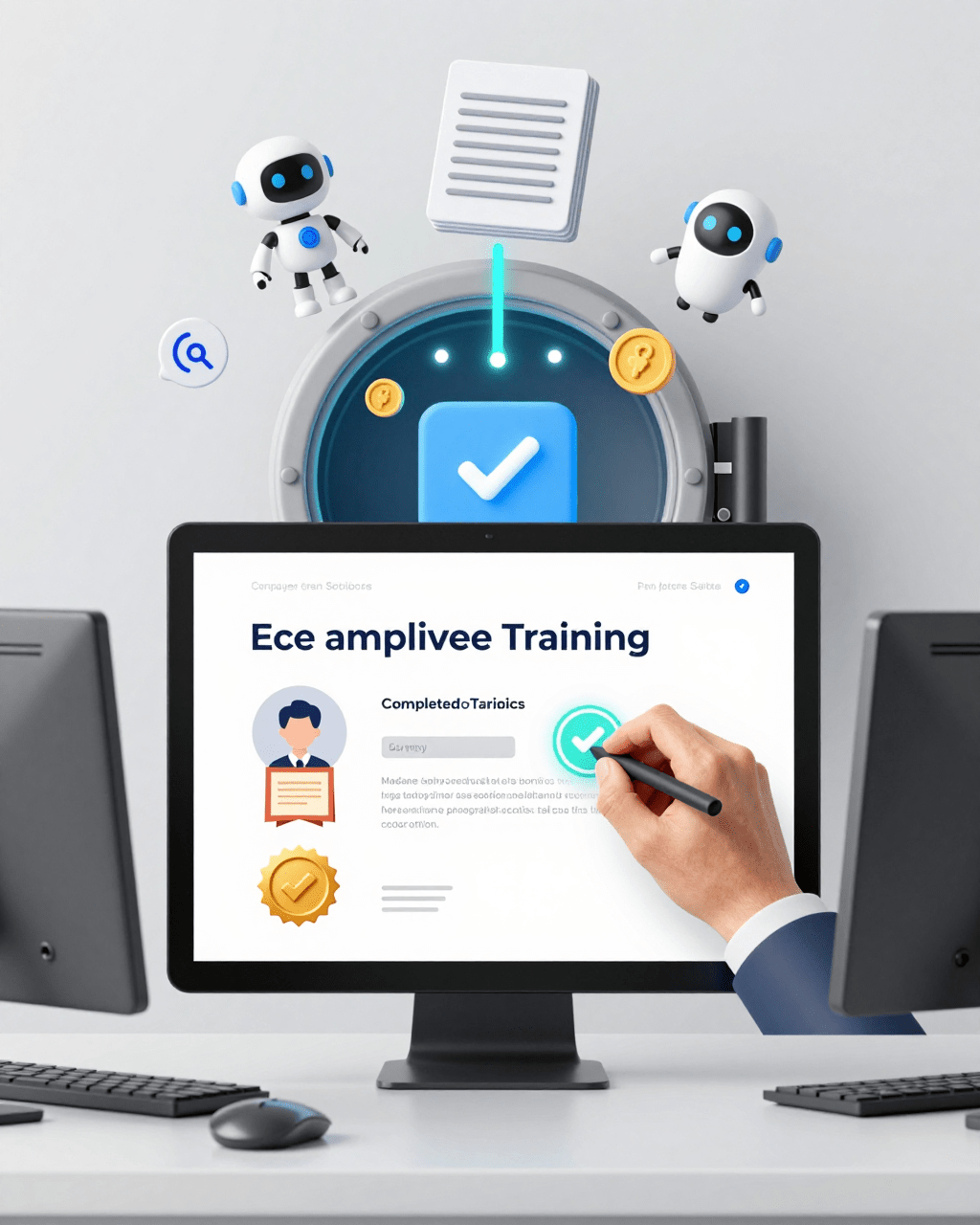 AI gradingWordPress
For the broader CourseFlare path, keep WordPress Lms Certificate Plugin and WordPress Course Progress Tracking Plugin nearby as supporting context, then use WordPress Lms Compliance Training when that topic becomes relevant.
Quick Take
What to keep in mind
Use the article below as a planning guide, then choose the CourseFlare path that matches your course model.
Course structure
Keep lessons, checks, and progress connected.
AI support
Use AI for lesson drafts and subjective grading.
Free start
Start with free course building.
They should not be treated as a downloadable badge that appears at the end of a lesson without context. In a real training workflow, a certificate should connect to assigned training, required lessons, progress tracking, assessments where needed, and a clear completion rule.
That matters for employees, managers, trainers, and small businesses.
Employees need to know what training is required and when it is complete. Managers need confidence that the right people completed the right training. Trainers need a workflow that is clear enough to manage without constant manual follow-up.
In WordPress, certificate workflows work best when they are part of the LMS. The course site should connect training paths, progress, completion, and certificate access inside one learner experience.
Start With The Training Requirement
The strongest certificate workflow starts before the certificate is issued.
It starts with the training requirement.
What training does the employee need to complete? Why does it matter? What activity should happen before a certificate becomes available?
If the requirement is unclear, the certificate will be unclear too.
A certificate should answer the question, “What did this learner complete?” That means the training path needs to be defined first.
Who Needs To Complete The Training?
Employee training usually starts with a group.
That group might include:
- New hires.
- Managers.
- Department staff.
- Contractors.
- Volunteers.
- Customer-facing employees.
- Safety-sensitive roles.
- Staff who need annual refreshers.
- Employees assigned to a specific procedure or product.
The training group affects the course design.
New hires may need onboarding. Managers may need policy training. Customer-facing staff may need product or support training. Safety-sensitive roles may need required lessons and assessments.
Before issuing certificates, decide who the training is for.
What Lessons Are Required?
Employee training certificates should connect to required lessons.
Those lessons might include:
- Company orientation.
- Policy training.
- Safety instructions.
- Product knowledge.
- Customer service process.
- Role-specific procedures.
- Required reading.
- Scenario-based practice.
- Final review.
The lessons should be organized into a path employees can follow.
If a certificate is issued after only part of the training, the site should make that clear. If all lessons are required, that should also be clear.
Is An Assessment Needed?
Not every employee training certificate needs an assessment.
Some training may only require completion of assigned lessons. Other training should require a quiz, test, written response, acknowledgement, assignment, or review step.
Assessments are useful when proof of understanding matters.
Examples include:
- Safety procedures.
- Compliance-style training.
- Product knowledge checks.
- Policy acknowledgement.
- Customer support scenarios.
- Role readiness.
- Required annual refreshers.
Course creators should not add assessments only to make training feel more formal. Add them when they improve learning or help confirm understanding.
What Counts As Completion?
Completion should be defined before the training launches.
Completion might mean:
- Viewing every required lesson.
- Completing every assigned module.
- Passing a quiz.
- Submitting a written response.
- Completing a final assessment.
- Receiving instructor or manager review.
- Finishing a full training path.
The completion rule should be easy for employees to understand.
If employees do not know what they need to finish, the certificate workflow will create confusion instead of proof.
Connect Completion To Certificates
Once the training requirement is clear, the certificate should follow completion.
That sounds simple, but it is where many training websites become messy.
A certificate should not sit beside the training workflow as a separate design file. It should connect to progress, completion status, and the learner’s record.
A WordPress employee training plugin with certificates should help training teams connect completion proof to the course activity that earned it.
Track Lesson Progress
Progress tracking is the foundation.
Employees should be able to see what they have completed and what remains.
Managers or trainers may also need to understand whether learners are moving through the assigned training path.
Progress tracking can answer practical questions:
- Has the employee started the training?
- Which lessons are complete?
- Which activities remain?
- Is the employee ready for the certificate?
- Did the employee finish the required path?
Without progress tracking, certificates can feel disconnected from the work that earned them.
Require Assessments If Needed
Some employee training should include assessments before a certificate is issued.
This may be important when the organization needs more than attendance or page completion. A quiz, test, scenario, written response, or acknowledgement can help show that the employee engaged with the material.
CourseFlare supports questions, quizzes, tests, assessments, written responses, and review workflows inside WordPress.
For subjective responses, CourseFlare’s AI grading can help with essays, fill-in-the-blank answers, and other written or open responses. It should support instructor or manager judgment, not replace it.
Issue Certificate After Completion
The certificate should become available when the completion rule is satisfied.
That rule may be simple or complex depending on the training.
For example:
- Complete all onboarding lessons.
- Complete the safety module and pass the quiz.
- Finish the product training path.
- Submit a written acknowledgement.
- Complete the annual refresher.
- Finish the assigned course plan.
The key is consistency. If the certificate is supposed to mean completion, then the trigger should match the training requirement.
Keep Certificate Available To The Learner
Employees may need certificates later.
They may need proof for a manager, a record file, professional development, an internal review, or their own documentation.
A certificate that disappears after the completion moment can create unnecessary support work.
Course creators should decide where certificates live after completion and how learners can retrieve them.
The rule does not have to be complicated, but it should be planned.
Keep Training Records And Certificates Connected
A certificate is usually not the entire training record.
It is a student-facing proof of completion. The broader record may also include progress, quiz attempts, activity history, course completion status, review steps, and assigned training paths.
For employee training, certificates are strongest when they sit inside that broader learning workflow.
Comparison
Decision Snapshot
A compact way to frame the tradeoff before the details.
| Need | Basic setup | CourseFlare path |
|---|---|---|
| Course structure | Manual pages | Connected lessons |
| Assessments | Separate quiz tools | Built-in checks |
| Paid access | Extra commerce stack | Pro billing features |
Keep The Workflow Focused
Use the visual summary as a checkpoint; the article text gives the full reasoning.
Put Certificates Inside A Training Portal
Employee training works better when learners have a clear place to go.
A training portal can show assigned courses, progress, required activities, certificates, and support information.
That matters because employee training is often assigned, not discovered. Learners may not be browsing a public course catalog. They need to know what the organization expects them to complete.
A WordPress training portal plugin can help organize that experience around assigned courses and learner progress.
For teams comparing a training portal plugin for WordPress or trying to build a training portal in WordPress, certificate access should be planned as part of the learner portal, not added as a separate download hidden after completion.
Assigned Courses
Assigned courses should be easy to find.
Employees should not have to search through a website to locate required training.
The training portal should make assigned courses visible, along with any required order, due dates if used, completion status, or next lesson path.
For example, a new employee might see:
- Company orientation.
- Security basics.
- Role-specific training.
- Product introduction.
- Policy acknowledgement.
- Final review.
The training portal should make the assignment feel intentional.
Progress Status
Progress status helps employees continue.
It should answer:
- What have I started?
- What have I completed?
- What is still required?
- Which course comes next?
- Is a certificate available?
Progress status also reduces support questions. Employees do not need to ask whether they finished training if the portal makes the status clear.
Certificate Access
Certificate access should be part of the portal experience.
After completion, employees should know where to find certificates. They may need to download, view, or reference them later.
The certificate area can show:
- Course name.
- Completion date.
- Certificate availability.
- Download or view option.
- Related training path.
- Verification details if available.
The goal is not only to issue a certificate. The goal is to make completion proof usable.
Support Path
Employee learners need a support path.
They may have questions about login, assigned courses, missing access, quiz attempts, certificates, or completion status.
A clear support route reduces frustration.
The support path might be an internal contact, manager, training admin, help page, or support form.
Whatever the route is, it should be visible inside the training experience.
Manager Or Admin Visibility
Employee training often needs manager or admin visibility.
The organization may need to know who has completed assigned training, who has not started, who is stuck, and whose certificate is available.
The learner-facing certificate is useful, but training teams also need operational clarity.
That is why progress tracking, assigned courses, and completion states matter as much as the certificate itself.
CourseFlare Focus
Assessment Workflow
Keep checks for understanding close to the lesson.
Questions
Add checks while building lessons.
Written work
Use subjective responses when useful.
AI grading
Reduce repetitive review work.
Certificate Workflow Checklist
Use this checklist before building certificates into an employee training website.
Course Path
Define the training path first.
Decide whether employees need one course, several lessons, a multi-course path, or a recurring training cycle.
The path should match the training requirement.
Enrollment Method
Decide how employees receive access.
Common options include:
- Manual assignment.
- Admin-created users.
- Department-based assignment.
- New-hire onboarding.
- Private group access.
- Paid access for external training customers.
- Self-enrollment for optional training.
The enrollment method affects what employees see in the portal.
Completion Rules
Define completion clearly.
Does the employee need to view lessons, complete all assigned modules, pass an assessment, submit a response, or finish a plan?
The completion rule should match the certificate.
Assessment Rules
If assessment is required, define the rule.
For example:
- Complete a quiz.
- Pass with a minimum score.
- Submit a written response.
- Complete a scenario.
- Receive review.
- Finish a final test.
Assessment rules should be visible enough that learners understand what is required.
Certificate Fields
Decide what the certificate includes.
Common fields include:
- Employee name.
- Course or training path name.
- Completion date.
- Company or provider name.
- Certificate ID or verification details if available.
- Trainer, department, or program name where useful.
Keep certificate wording accurate. Do not make a completion certificate sound like a license or credential from an outside body unless that is true.
Student Access After Completion
Decide what happens after training ends.
Can employees still view the course? Can they retrieve the certificate later? Can they see completed training records? What happens if an employee changes roles or leaves a group?
Different organizations may answer differently.
The important part is to plan the rule and avoid surprising learners.
Renewal Or Recurring Training
Some employee training repeats.
That might include annual safety training, recurring policy refreshers, product updates, or compliance-style review.
If training repeats, decide whether certificates are issued each time, whether completion dates matter, and how older certificates should be handled.
The certificate workflow should support the training cycle, not only the first completion.
How CourseFlare Supports Employee Training Certificates
CourseFlare is built around structured WordPress course delivery.
Course creators can build lessons natively in WordPress, add questions, quizzes, tests, and assessments with easy CourseFlare blocks, and keep working in the WordPress block editor or classic editor. CourseFlare automatically creates the quiz, test, and assessment structure on the back end as instructors author course content.
That matters for employee training because the course, assessment, progress, and certificate workflow need to stay connected.
Assigned Training Paths
Employee training often starts with assignment.
CourseFlare can support training paths where learners are directed into the courses, lessons, and activities they need to complete.
This is useful for onboarding, internal education, role-based training, and required learning programs.
Progress And Completion
CourseFlare helps connect learner progress to course completion.
That means certificates can be tied to the training workflow rather than existing as standalone files.
When students complete required work, the course can move toward completion and certificate availability.
Assessments And AI Grading
CourseFlare supports assessments where employee training needs proof of understanding.
Quizzes and tests can handle objective checks. Written responses and open questions can support scenarios, reflections, acknowledgements, or applied understanding.
AI grading can help with subjective written responses, including essays, fill-in-the-blank answers, and other open responses. It can reduce review workload while still supporting instructor or admin oversight.
Learner Portals
Learners need a clear place to continue.
CourseFlare’s workflow supports the broader student experience around assigned courses, progress, next lessons, completion, and certificates.
That is important for employee training because learners may not be course shoppers. They are completing assigned training. The portal should make the required path obvious.
Free And Paid Context
CourseFlare Free is a practical starting point for building and delivering free courses, including employee training paths where no paid access is needed.
CourseFlare Pro becomes relevant when training is sold as paid access or needs billing features.
Certificates, progress tracking, lessons, assessments, AI lesson authoring, and AI grading are part of the broader CourseFlare learning workflow. The Free vs Pro boundary is paid-course creation and billing features.
Common Employee Certificate Workflow Problems
Certificate workflows tend to fail in predictable ways.
These problems are usually not about certificate design. They are about unclear completion rules and disconnected systems.
The Certificate Is Not Tied To Required Work
If a certificate appears without meaningful completion, it loses credibility.
The training path should define what the employee completed before the certificate is issued.
Employees Cannot Find The Certificate Later
If employees cannot retrieve certificates, the training team may receive avoidable support requests.
Put certificate access where learners naturally return: dashboard, portal, profile, completion area, or certificate page.
Managers Cannot Tell Who Finished
Employee training often needs operational visibility.
If managers cannot tell who has completed training, who is still in progress, and who has earned certificates, the workflow is incomplete.
Progress and completion visibility should support the certificate process.
The Completion Rule Is Hidden
Employees should not have to guess what unlocks the certificate.
If a quiz, assignment, lesson path, or review step is required, make it clear.
The Certificate Overstates The Training
Certificate wording should be accurate.
If the certificate proves course completion, say that. Avoid wording that makes the certificate sound broader than the training program actually supports.
Clear wording protects the learner and the organization.
This is especially important for teams evaluating a compliance training plugin for WordPress certificates. The certificate should accurately describe the training completed and the workflow behind it.
Checklist
Quick Checklist
A short scan before you act on the article.
New hires.
Review this before publishing the course.
Managers.
Review this before publishing the course.
Department staff.
Review this before publishing the course.
Contractors.
Review this before publishing the course.
Volunteers.
Review this before publishing the course.
Frequently Asked Questions
Do Employee Training Certificates Need Assessments?
Not always.
Some employee training certificates can be based on completed lessons or training paths. Assessments are useful when proof of understanding matters.
Use quizzes, tests, written responses, acknowledgements, or review steps when they improve the training workflow.
Should Certificates Be Available After Training Ends?
Usually, yes, if employees need proof of completion later.
The exact rule depends on the organization, course access model, and recordkeeping needs. The important part is to decide whether employees can retrieve certificates after training ends and make that rule clear.
Can WordPress Support Employee Training Certificates?
Yes.
WordPress can support employee training certificates when the LMS connects assigned courses, progress tracking, completion rules, student dashboards, and certificate access.
CourseFlare supports certificates inside a broader WordPress LMS workflow for structured training.
What Should An Employee Training Certificate Include?
An employee training certificate should usually include the learner name, training course or path name, completion date, provider or company name, and verification details if available.
It should also use accurate wording about what the certificate represents.
Can Employee Training Certificates Support Compliance Workflows?
They can support the workflow, but a certificate may not be the entire record.
Compliance-style training may also need progress records, assessment data, activity tracking, review history, and reporting. A certificate is useful when it reflects real completion inside that broader training process.
Related Guides
Related CourseFlare Guides
Use these internal guides for the next step in the course-building plan.
Build Employee Training Certificates Around Completion
Employee training certificates should come from a real training workflow.
Assign the right course. Track progress. Require assessments where needed. Define completion. Issue certificates after meaningful completion. Keep certificates accessible to learners.
CourseFlare connects training paths, progress tracking, certificates, assessments, AI lesson authoring, AI grading, and learner portals in WordPress. If you are building employee training courses, Download CourseFlare Free. If you later sell paid training access, Sell Courses With CourseFlare Pro.
CourseFlare Next Step
Start Building With CourseFlare
Start with CourseFlare Free to build structured lessons, assessments, progress, AI authoring, and AI grading in WordPress.